Use case
Software for structured digitisation workflows
Digitisation begins with scanning but does not end with the image file. Capture, quality control, structuring and output need to work together if digital content is to be reused reliably.
Imageware provides the software you need to structure these scanning and digitisation processes – from a single workstation to large-scale digitisation projects.
Digitisation needs to be repeatable
Many digitisation projects are not held back by scanning itself, but by everything around it: Which source material belongs to which job? What quality level is required? Which metadata needs to be captured? Which output formats are needed? And how can teams keep track of progress?
Without clear processes, teams often end up with manual workarounds, inconsistent results and unnecessary coordination effort. When large volumes, multiple workstations or project-specific requirements are involved, digitisation needs software that keeps workflows structured and repeatable.
From scanning to handover in one clear workflow
Imageware software helps you set up digitisation workflows where every step is clear and traceable. Source materials can be scanned or imported, images processed directly, metadata and structural information added, and the results exported to defined formats or destinations.
BCS-2 provides the central workspace for capture, post-processing, indexing and output. It supports both standard scanning tasks and more demanding workflows with quality checks, batch functions and flexible export options.
For projects that require more coordination, documentation or job-based processing, mybib eDoc can add workflow management: for organising tasks, tracking statuses, managing handovers and automating steps in larger digitisation projects.
A typical workflow
Capture materials or import files
New scans and existing image files can be brought into the digitisation workflow.
Process and check images
Images are cropped, rotated, deskewed, reviewed and prepared for the next steps.
Add structure and metadata
Index data, metadata, page information or OCR results make digital objects easier to find and reuse.
Export the results
Finished files are exported to the required formats, folder structures or target systems.
Manage and document the process
In larger projects, jobs, statuses and handovers can be managed through mybib eDoc.
Digital content that is ready for reliable use
With Imageware software, digital objects are not just created – they are processed, structured and prepared for reliable use. Teams work with clearer routines, reduce manual handovers and keep better track of what has been completed and what still needs attention.
The result: consistent files, traceable processes and digital content that can be handed over, archived, presented or integrated into existing systems.
Digitisation across different fields
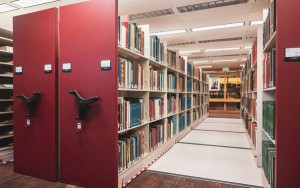
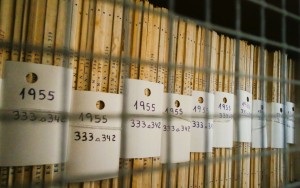
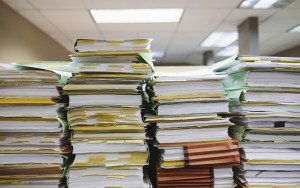
Digitisation looks different in every organisation. Our solutions can be adapted to different materials, workflows and target systems.



Looking for software for your digitisation project?
Whether you operate a single scanning workstation, a recurring process or a large project, we help you select and configure a software workflow that fits your requirements.